How to teach an AI agent your business (without writing a manual)
An AI agent is only as good as what it knows about you. Here’s what to tell it, what to leave in your help centre, and how Colvy’s Business memory learns from your team’s edits without ever teaching itself.

A new staff member needs a few things before they talk to customers. How we speak here. What we never say. The facts that matter. The questions everyone asks. Nobody hands them a 40-page manual and walks off, and if you did, they wouldn't read it.
An AI agent is no different. It already knows how to write a polite reply. What it doesn't know is your business: that live fish never ship to WA, that click and collect orders are held for a week, that you'd rather say "Hi Jo!" than "Dear customer".
In Colvy, all of that lives in one place: Business memory, under AI Agents. Here's what to put in it, and what to leave out.
Where Business memory is used
Business memory isn't for one bot. It's part of every AI reply and draft in Colvy: the AI agents, auto-replies, inbox drafts, and review and comment replies. Change a rule, and it applies from the next message.
1. How it sounds
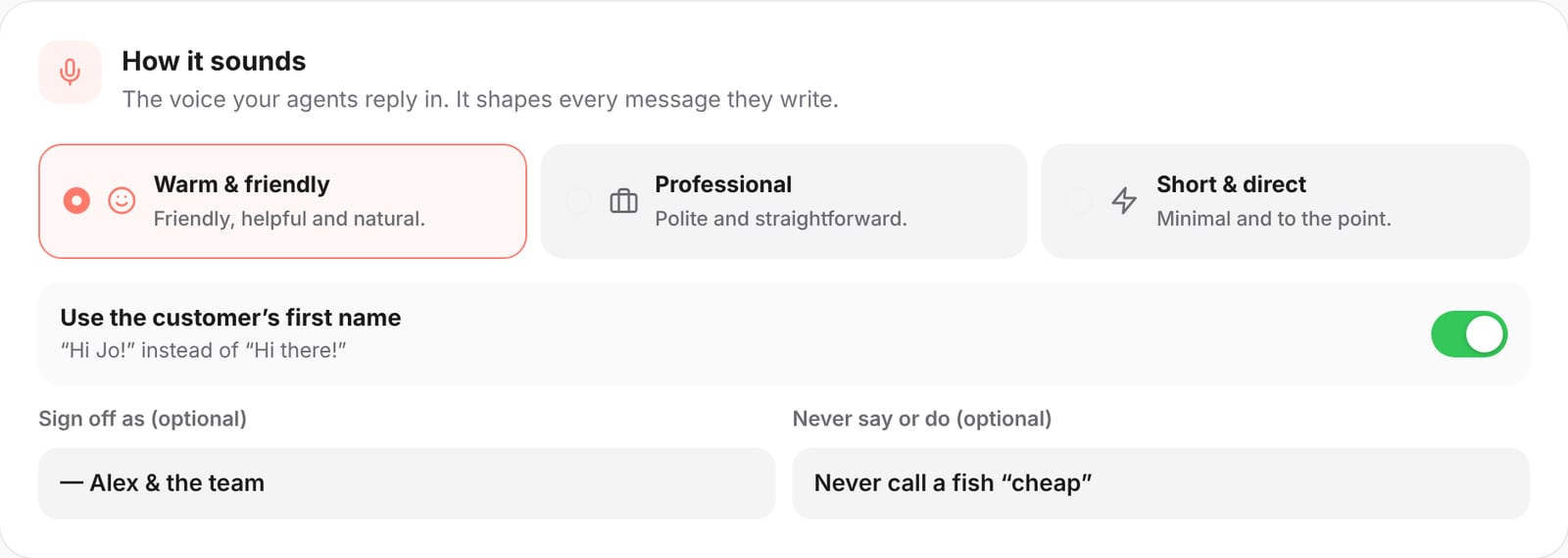
Start with tone, because customers notice it first. Pick one of three voices:
- Warm & friendly: friendly, helpful and natural.
- Professional: polite and straightforward.
- Short & direct: minimal and to the point.
Then two small things that make a big difference: whether to use the customer's first name ("Hi Jo!" instead of "Hi there!"), and how to sign off. There's also a Never say or do box for the words and habits that don't sound like you.
2. Rules: always and never
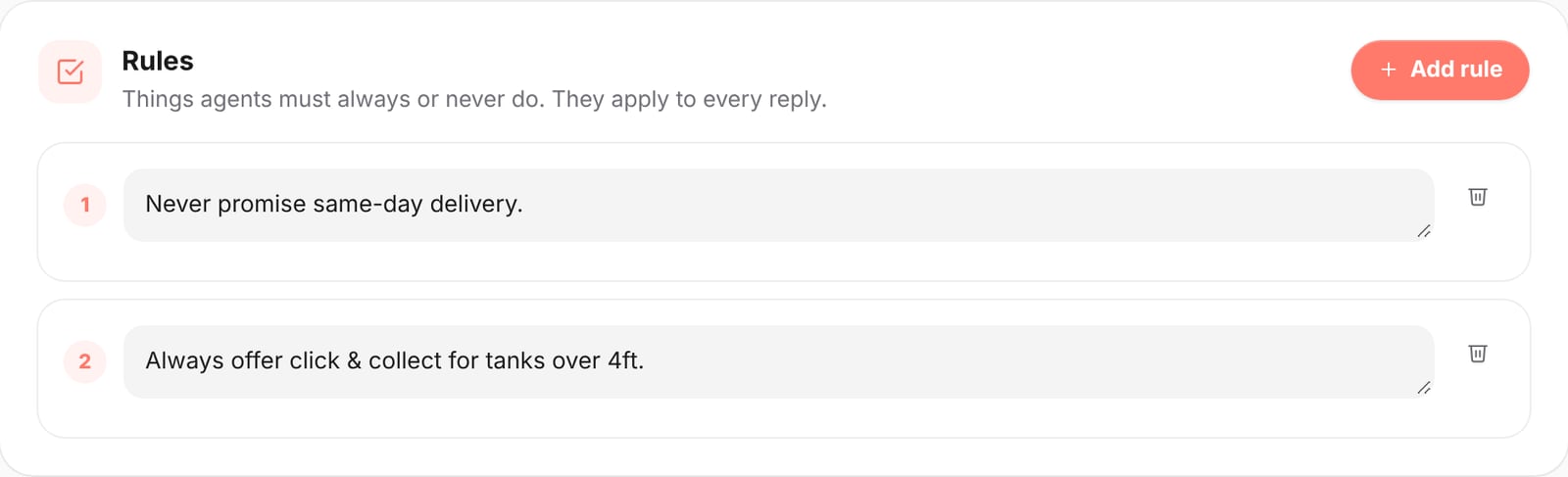
Rules are the things agents must always or never do, and they apply to every reply. Good rules are short, specific and hard to misread:
- Never promise same-day delivery.
- Always offer click & collect for tanks over 4ft.
- Never quote a price for a repair before someone has seen it.
- Always ask for a photo when something arrives damaged.
Avoid rules that need judgement to apply, like "be careful with difficult customers". If a person would have to ask what you mean, so will the agent. Name the situation and the action instead: "When a customer says they're unhappy, apologise and hand the conversation to the team."
3. Must-know facts
Must-know facts are short facts the agent must never get wrong. They're in every reply and win over anything else, so keep them brief. Colvy gives you starting points for the usual ones (shipping and delivery, returns and refunds, click & collect, a live arrival guarantee, payment) and room for your own.
Good must-know facts look like this:
- Live fish ship Monday to Wednesday only, never to WA or Tasmania.
- We hold click & collect orders for 7 days.
- No cash on delivery.
The full policy belongs in your help centre. The one fact that matters most belongs here.
4. Common questions
These are short answers your agents give when a customer asks. Keep each to a sentence or two:
Is there parking? Yes, free parking behind the shop, with entry from the side lane.
Longer FAQs belong in your help centre, where customers can read them too.
5. When an order needs a person
If you sell online, one more setting does a lot of quiet work. On "where's my order?", agents check the tracking against three limits you set, in days: Not shipped after, In transit longer than and Tracking hasn't moved for. Inside those limits, the agent can reassure the customer with the real tracking. Past them, the order comes to your team, because "it's on its way" isn't good enough any more.
What not to put in Business memory
Business memory is for what every reply needs. Long documents crowd out what matters, so they live in AI Knowledge instead: help centre articles, saved facts, website pages and files. Agents search it before answering, so full policies and long FAQs don't need copying in.
Opening hours don't need typing in either. They come live from your Google Business Profile.
And what Colvy learns about one customer stays with that customer. It isn't business memory, so it never turns up in someone else's reply.
Let it learn from your team, through you
Your team edits drafts all day, and each edit is a small lesson. The agent missed something you always mention, or said something you never would.
Colvy notices. When a teammate changes a draft in a way that looks like a lasting lesson, the agent suggests a memory: a rule, a fact or a common question. It appears under Suggested by your agents, with the agent's draft and what was actually sent side by side.
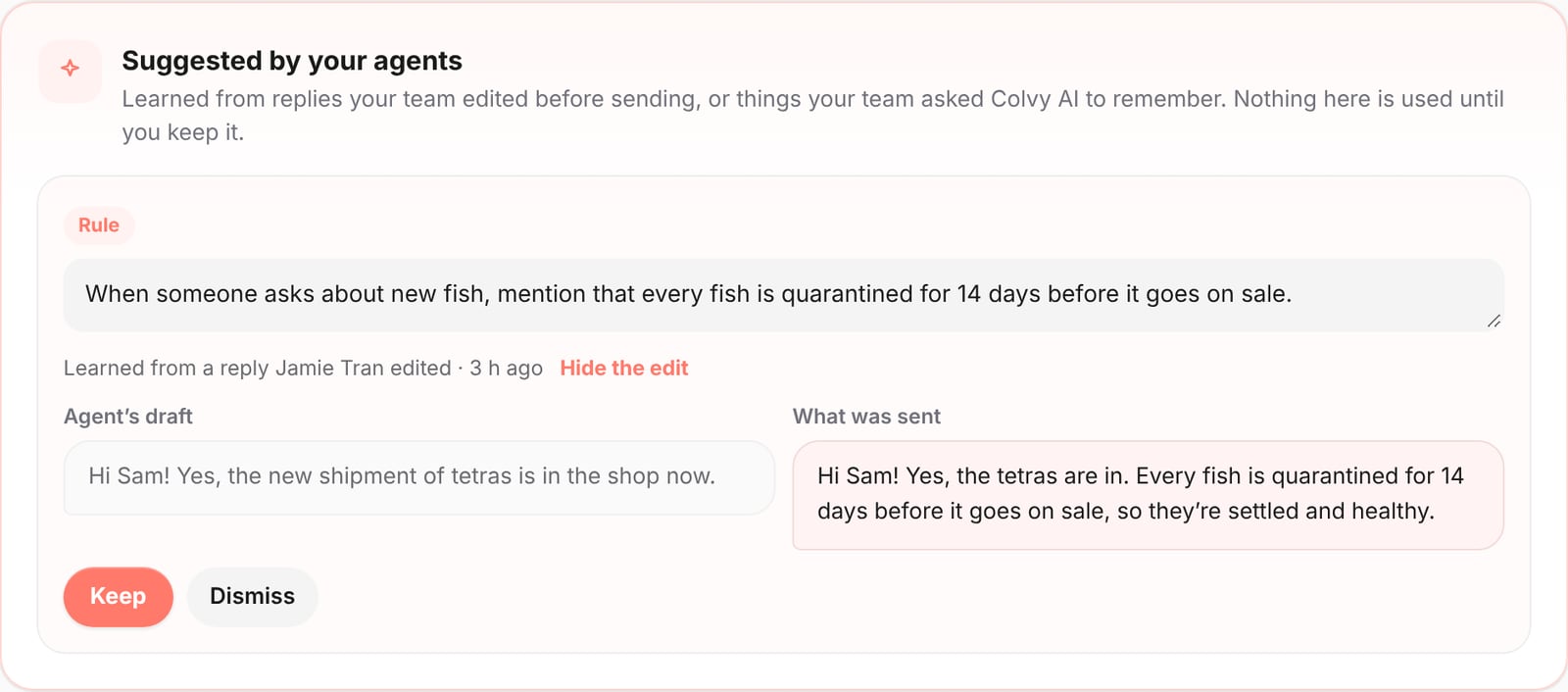
Nothing there is used until you keep it. You can reword it, Keep it or Dismiss it. The agent never teaches itself, so a one-off change for one customer can't quietly become policy.
Your team can also ask Colvy AI to remember something, like "remember we don't do engraving any more", and it arrives the same way: as a suggestion waiting for you.
A ten-minute setup
- Choose a voice, first names on or off, and a sign-off.
- Add three rules: one "never" you'd hate to see broken, and two "always" habits.
- Add your two or three most important must-know facts.
- Add the five questions you answer most, in a sentence or two each.
- If you sell online, check the order limits.
- Open Try an agent and send it the questions you get every day. It reads your real data, but nothing is sent.
That's it. You'll keep adding to it, mostly by keeping your agents' suggestions.
Read next: how much an AI agent should do on its own and connecting your agents to the other tools you use. Or start free.
Key takeaways
- Give your agent four things: how you sound, the rules it must follow, the facts it must never get wrong, and short answers to common questions.
- Keep long policies in your help centre or AI Knowledge. Agents search them when they need to.
- Write rules as “always” or “never” sentences. They apply to every reply, on every channel.
- Let it learn from your team’s edits, but only through you: suggestions do nothing until the owner keeps them.
Bring every conversation into one inbox
Messages, calls, reviews and feedback — all in Colvy. Start free.
Get started free