Colvy Powers: team rewards for real work, not busywork
Colvy Powers turns the work your team already does, like resolving conversations, answering calls and finishing tasks, into coins, XP and levels. Spend the coins on playful power-ups like Priority Pin and Confetti Bomb. Here’s how it works, and how it stays fair.

Customer service is a team sport with no scoreboard. Somebody answers forty messages before lunch, somebody else quietly sorts the courier mix-up that would have cost you a customer, and at the end of the day nobody really knows. The good work disappears into the inbox.
Colvy Powers gives it somewhere to land. It's a light layer of rewards on top of the work your team already does in Colvy. Serious about work, playful about teamwork.
How your team earns
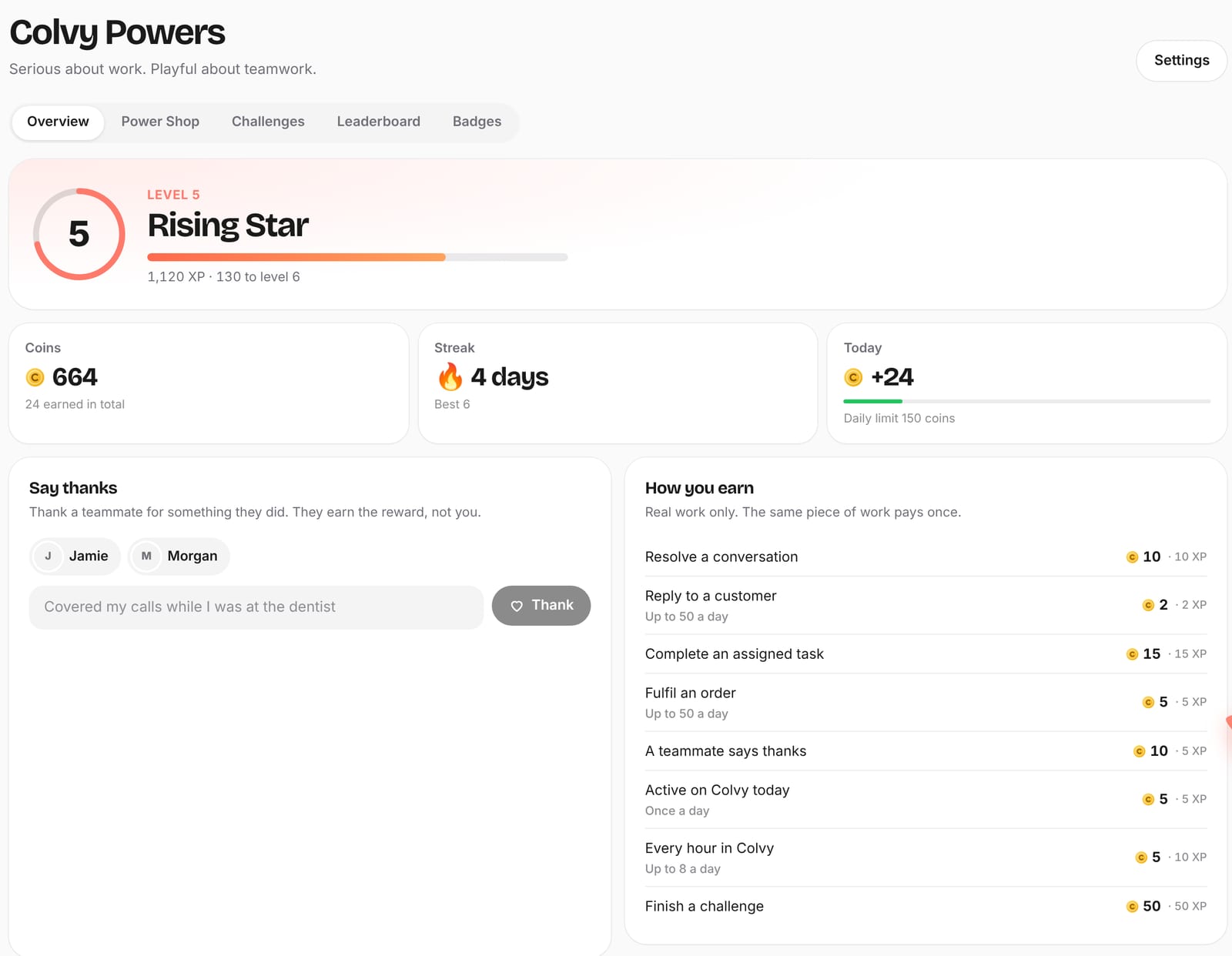
Rewards come from real work done in Colvy. Each piece of work pays once.
| Work | Coins | XP |
|---|---|---|
| Resolve a conversation | 10 | 10 |
| Reply to a customer (up to 50 a day) | 2 | 2 |
| Answer a customer's call (20 seconds or more) | 5 | 5 |
| Complete an assigned task | 15 | 15 |
| Complete a job | 25 | 25 |
| Fulfil an order (up to 50 a day) | 5 | 5 |
| A 4 or 5 star Google review that names you | 30 | 30 |
| A teammate says thanks | 10 | 5 |
| Finish a challenge | 50 | 50 |
There are small rewards for showing up, too: once a day for being active in Colvy, and a little for each hour of active use (typing, clicking, scrolling) up to eight hours. Rules about things your business doesn't use, like jobs or calls, simply don't appear.
Coins and XP do different jobs
XP is earned and never spent. It decides your level, from 1 to 50, with titles along the way: Rookie, Rising Star, Specialist, Champion, Legend and, at level 50, Colvy Master. Levels unlock looks only, never permissions.
Coins are for spending in the Power Shop. Neither coins nor XP can be bought, cashed out or moved to another workspace.
What the coins buy
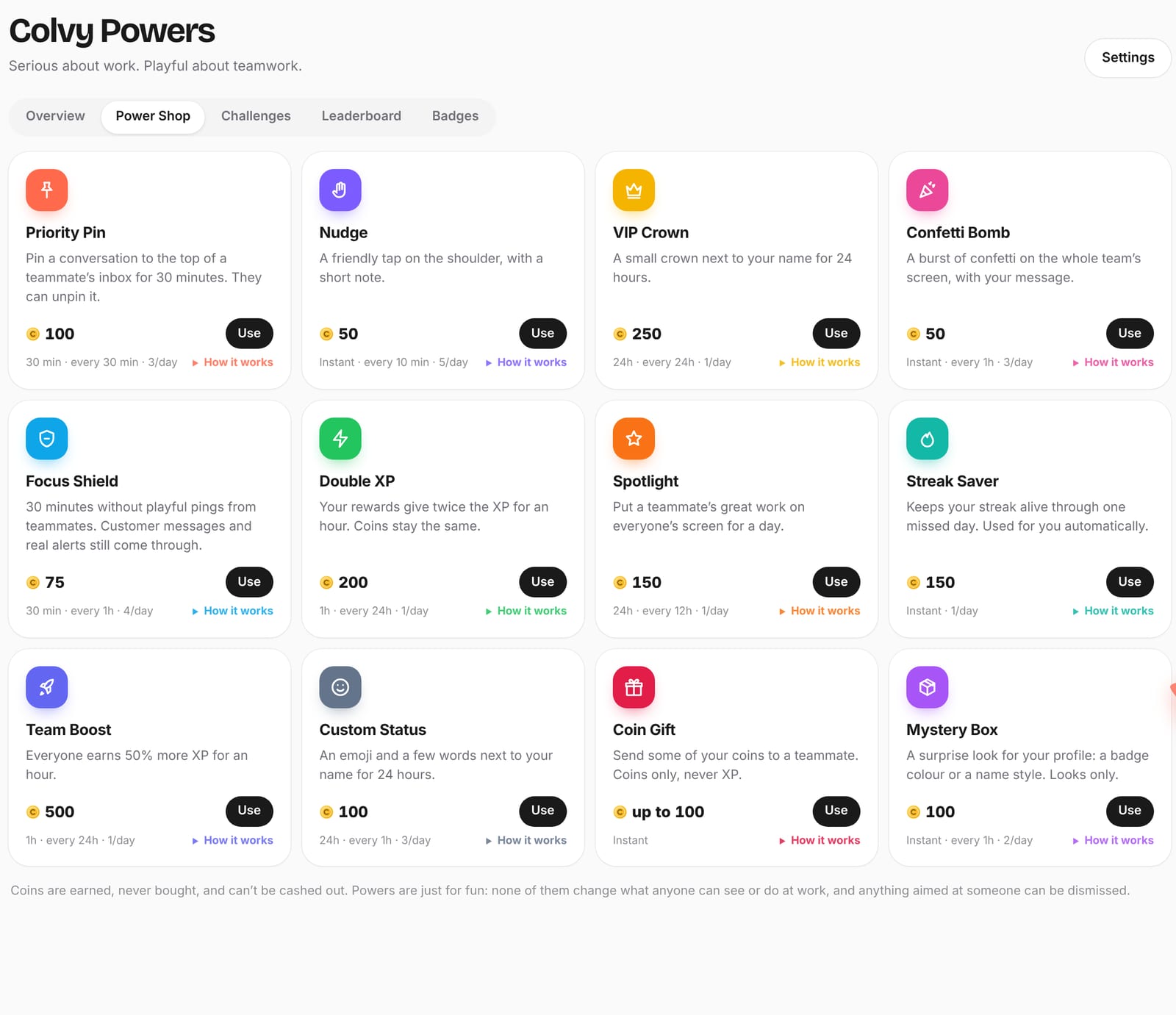
- Priority Pin (100): pin a conversation to the top of a teammate's inbox for 30 minutes. They can unpin it.
- Nudge (50): a friendly tap on the shoulder, with a short note.
- Confetti Bomb (50): a burst of confetti on the whole team's screen, with your message.
- Focus Shield (75): 30 minutes without playful pings from teammates. Customer messages and real alerts still come through.
- Spotlight (150): put a teammate's great work on everyone's screen for a day.
- Double XP (200): your rewards give twice the XP for an hour. Coins stay the same.
- Team Boost (500): everyone earns 50% more XP for an hour.
- VIP Crown (250), Custom Status (100) and Mystery Box (100): looks for your name and profile.
- Streak Saver (150): keeps your streak alive through one missed day.
- Coin Gift: send some of your coins to a teammate. Coins only, never XP.
Levels, streaks, badges and challenges
Keep earning day after day and you build a streak. Hit milestones and you collect badges, like Inbox hero, Quick to answer and Customer favourite. Owners and admins can set challenges, daily, weekly or for the whole team, such as "Close 6 conversations today", each with its own reward.
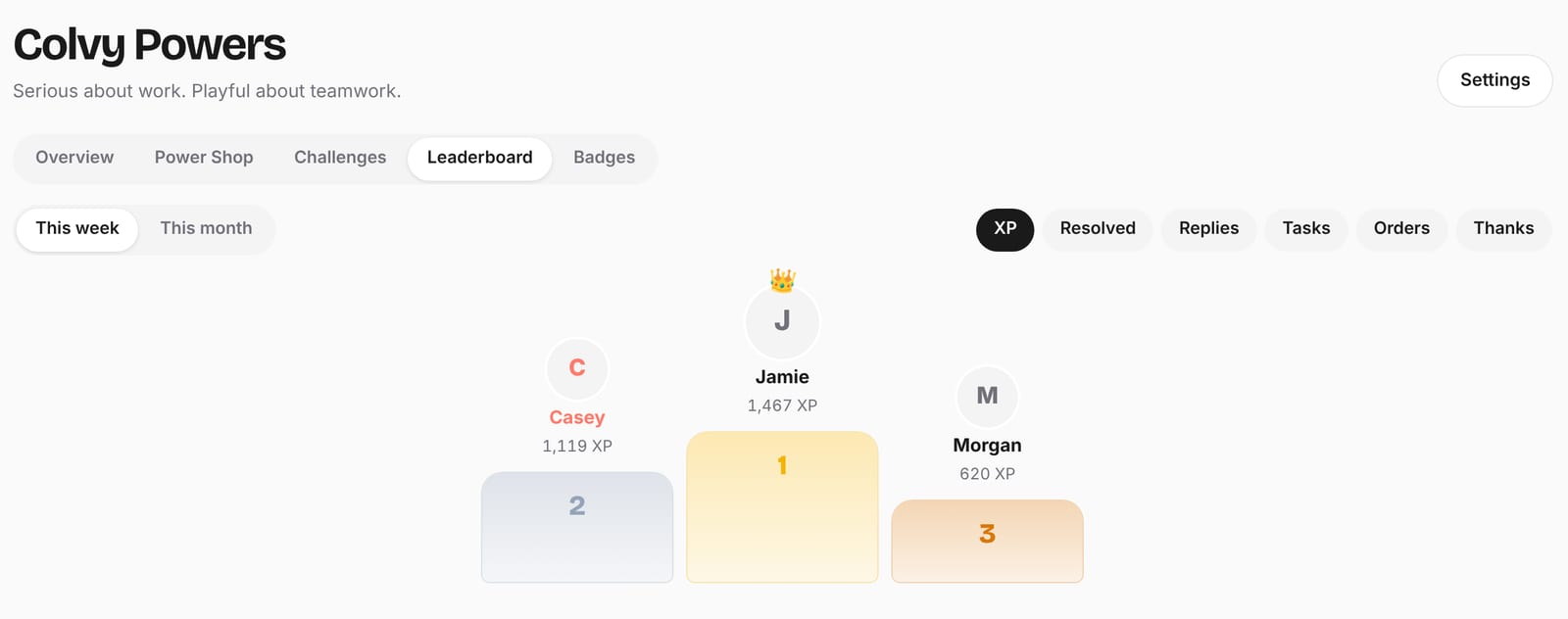
The leaderboard shows this week or this month, by XP or by resolved conversations, replies, tasks, orders or thanks. If a ranking isn't right for your team, show team totals only, or switch it off.
Say thanks
Anyone can thank a teammate for something they did: "Covered my calls while I was at the dentist." The teammate earns the reward, not the person saying thanks, and each person can thank up to three teammates a day.
Built to be hard to game
A reward system that rewards the wrong thing is worse than none. So Colvy Powers only counts work that matters:
- One-word replies, internal notes and AI replies don't count as replies.
- A call only counts if you picked it up and talked for at least 20 seconds. Voicemails don't count.
- A task you made for yourself and ticked within ten minutes doesn't count.
- Reopening and closing a conversation doesn't pay twice. An order undone takes its reward back.
- Every person has a daily limit, 150 coins and 300 XP by default.
- Work done before Colvy Powers was switched on never pays.
Never in the way
Every playful thing sits around the work, never in front of it. Nothing covers a customer's message, nothing slows down a reply, and Focus Shield gives anyone a quiet half hour when they need it.

Yours to set
Colvy Powers is off until an owner or admin switches it on in Settings → Colvy Powers. From there you choose:
- what each piece of work is worth, and the daily limits;
- which power-ups are in the shop, their prices and limits;
- who takes part, by role or location;
- who sees the leaderboard;
- the challenges your team is working on.
It's included on every plan. Read more on the Colvy Powers page, or see why we think Colvy is a culture, not just software.
When you're ready, set it up step by step, pick a few team challenge ideas, and read what we learned about gamification that works.
Start free and switch on Colvy Powers for your team.
Key takeaways
- Your team earns coins and XP for real work: resolving conversations, replying, answering calls, finishing tasks and jobs, fulfilling orders.
- XP builds levels from Rookie to Colvy Master. Coins buy power-ups like Priority Pin, Nudge, Confetti Bomb and Focus Shield.
- It’s built to be hard to game: one-word replies, notes and AI replies don’t count, and every reward has a daily limit.
- It’s off until an owner or admin switches it on, and every part of it can be tuned or turned off.
Bring every conversation into one inbox
Messages, calls, reviews and feedback — all in Colvy. Start free.
Get started free