10 keywords worth automating in your customer inbox
A handful of words tell you almost everything about what a customer needs: refund, cancel, urgent, wholesale, invoice. Here are ten keyword groups worth watching for, what to do with each, and the words to avoid.

Customers tell you what they need in the first sentence. "I'd like a refund." "Can I cancel?" "It's urgent." "Do you do wholesale?"
A keyword check in Colvy's automation builder spots those words and sends the conversation where it needs to go. Here are ten worth watching for, and what to do with each.
How keyword matching works
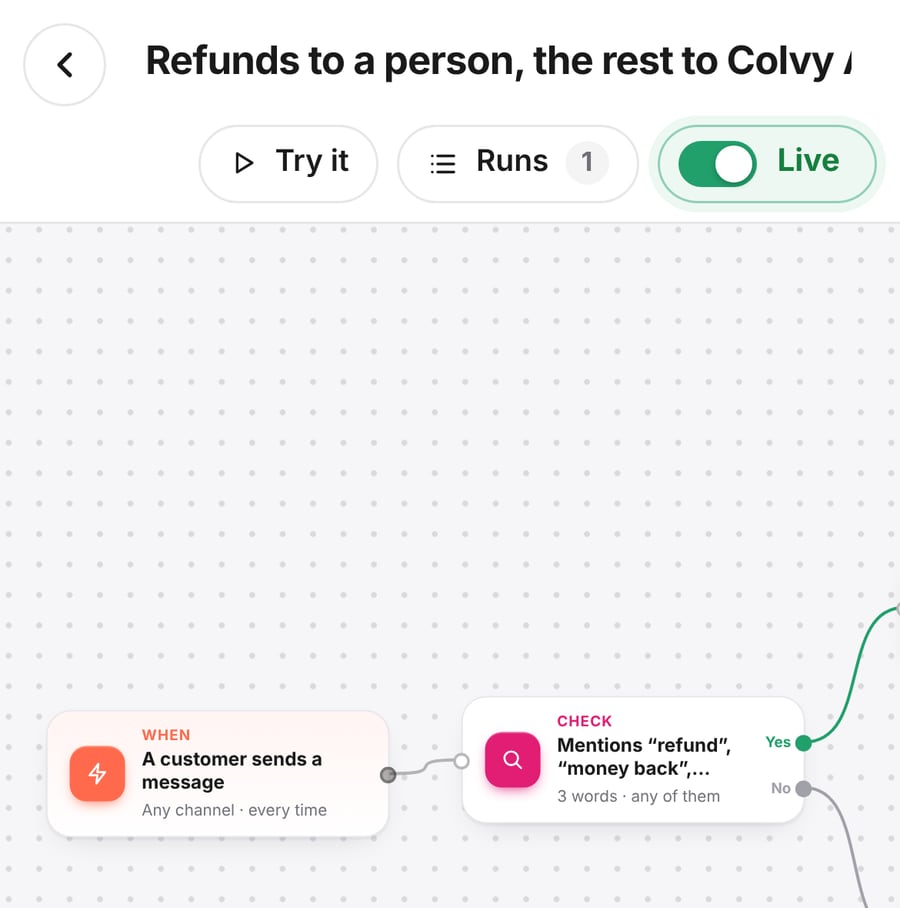
The Message mentions… check says Yes when the customer's message contains any of the words you list. A few details make it more useful than it sounds:
- Whole words only. "Refund" matches "refund" and "Refunds?", but not "prefund".
- Capitals and accents don't matter. "URGENT", "Urgent" and "urgent" all match.
- Plurals count. "Invoice" also matches "invoices".
- Short phrases work. "Money back" matches "can I get my money back".
- Up to 20 words or phrases in one check.
10 keyword groups
1. Refund, return, money back
Do: pause Colvy AI, assign to whoever approves refunds, and create a task to check it today. This is Colvy's ready-made refunds template.
2. Cancel, cancellation
Do: assign to whoever handles bookings or subscriptions. Add a note so they know to try to save it before they process it.
3. Urgent, emergency, ASAP
Do: notify the team as well as assigning. For trades, add words like "leak", "flooding" or "no power".
4. Complaint, disappointed, unhappy
Do: pause Colvy AI and assign to the owner or manager. Nobody wants a bot replying to a complaint.
5. Wholesale, bulk, trade
Do: tag the customer "Wholesale lead" and assign to whoever handles accounts. The tag means they'll be easy to find later.
6. Quote, estimate
Do: for service businesses, create a task "Send a quote", due today, and assign it. Quotes that wait a day often go to whoever replied first.
7. Warranty, faulty, broken, damaged
Do: create a task "Check the warranty claim" and add an internal note reminding the team to ask for photos. The task links back to the conversation, and it includes the first part of what the customer wrote.
8. Invoice, receipt, tax invoice
Do: assign to whoever does the books, so the person answering the phones doesn't have to dig.
9. Tracking, delivery, parcel
Do: for online stores, hand to Colvy AI so it can answer straight away, or assign to dispatch if you'd rather a person checks.
10. Booking, appointment, reschedule
Do: if you take bookings, assign to the front desk, or hand to Colvy AI to send the booking link.

Words to avoid
Some words turn up in so many ordinary messages that a check using them says Yes to almost everything:
- "Job": matches "great job, thanks!" as well as "do you have any jobs going?"
- "Order": for a shop, nearly every message mentions an order.
- "Help", "question", "hi": in almost every first message.
- "Problem": "no problem!" matches too.
Keyword checks also don't understand context. "This isn't a complaint, but…" still matches "complaint". That's usually fine, because a person will look at it, but it's another reason to pause Colvy AI rather than send an automatic reply on a sensitive word.
Group by action, not topic
One check per thing you'll do. If refunds and returns both go to Sam with a task, put them in one check. If cancellations go to someone else, give them their own check, and chain the checks together: if it isn't a refund, is it a cancellation? If not, is it urgent?
For routing ideas, see how to route customer messages automatically. Automations are included on the Inbox and Everything plans.
Start free and put your first keyword to work.
Key takeaways
- A keyword check matches whole words, ignoring capitals and accents, and counts plurals: “refund” matches “Refunds?” but not “prefund”.
- Group words by what you’ll do next, not by topic: one check per action.
- Avoid words that turn up in everyday chat, like “job”, “order” or “help”, or every message will match.
- Test each list with a few real-looking messages before you switch the flow on.
Bring every conversation into one inbox
Messages, calls, reviews and feedback — all in Colvy. Start free.
Get started free